
Lucky Ones Casino App: Mobile Access and Installation
The supported Lucky Ones casino app installation route is a browser-based web experience. Lucky Ones games are mobile-friendly, and you can add access from a browser on a phone or desktop.
This page covers how mobile access works, the confirmed installation steps for iOS, Android and desktop, how an installed shortcut differs from opening the casino in a browser, and what to do if a mobile login or shortcut stops working.
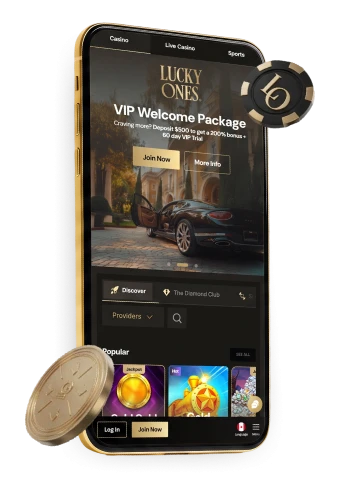
Lucky Ones casino access on mobile
Lucky Ones games are mobile-friendly, so the casino experience opens directly in a phone’s browser without requiring installation. The LuckyOnes casino interface supports games and bonus access in a mobile browser and is compatible with most browsers. That assessment concerns browser access, not a separate installation route.
Opening the casino in a mobile browser is the baseline route, whether you are visiting for the first time or returning to an account. For direct mobile access, open luckyone casino in your phone’s browser; adding a home-screen icon is optional. If you cannot sign in, the account’s password-reset route is available through Log In.
The sections below explain how to add browser-based access to a home screen, how that differs from opening a browser tab, and how to recover access if a mobile login attempt fails. You can also continue using the mobile browser without installing a shortcut.
Lucky Ones casino app download and installation by device
The supported installation route uses the browser on each device. Lucky Ones supports browser installation on iOS through the browser Share menu, on Android through Install or Add to Home Screen, and on desktop through Download > Install in the navigation menu. These steps add access to the web experience from a phone’s home screen or a desktop shortcut.
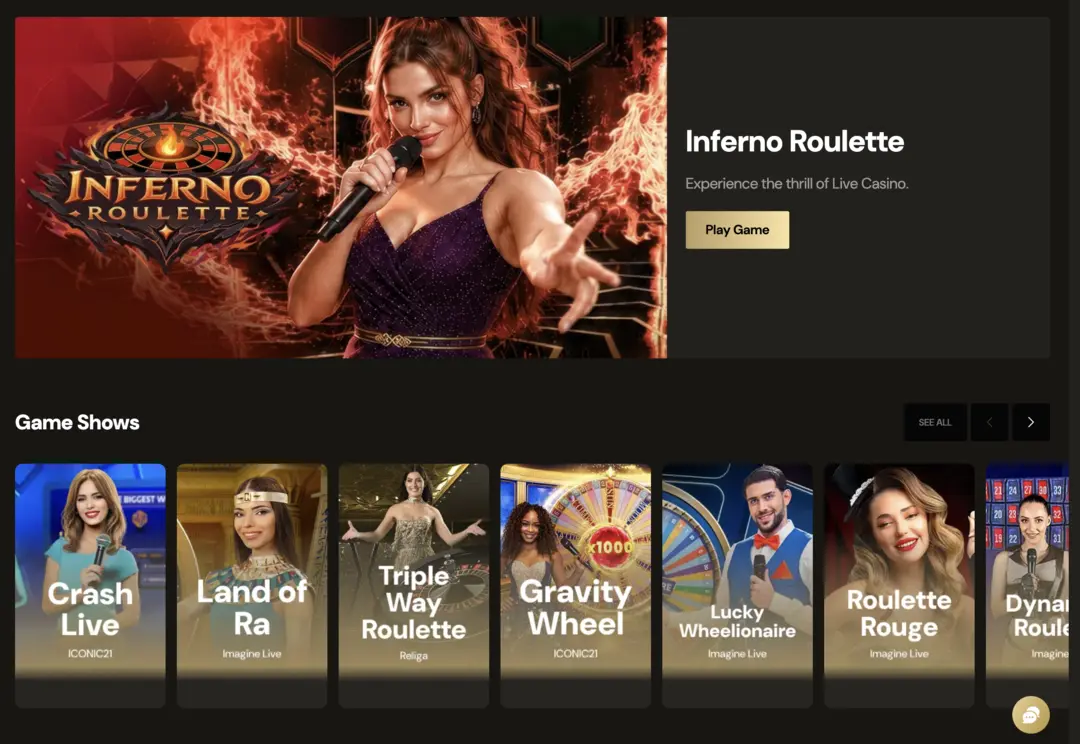
- iOS: open the browser Share menu and choose Add to Home Screen.
- Android: use the browser menu’s Install or Add to Home Screen option.
- Desktop: choose Download from the navigation menu, then select Install.
Each device route opens the browser-based web experience; the exact menu wording can vary slightly between browser versions. If an installed icon does not open the expected page, you can compare it with the casino opened directly in a browser tab.
Installing a shortcut makes the mobile web experience accessible from the home screen without manually reopening the address in a browser tab. It remains optional: the mobile browser route described above works without installation. The desktop route likewise provides another way to open the browser-based experience.
LuckyOnes app versus mobile browser
The LuckyOnes app shortcut and a browser tab are two ways to open the mobile web experience. A browser tab opens the casino directly; a saved home-screen icon provides another entry point without manually opening a tab.
Appearance and behaviour can vary with the browser and device used to open the casino. If an icon stops opening the expected page, try a fresh browser tab to compare the two routes before troubleshooting the account itself.
The LuckyOnes installation steps described here produce a browser-based entry point. Lucky Ones games remain mobile-friendly when opened directly in a browser, and the optional icon provides another way to reach the web experience. Browser access also supports games, bonus access and withdrawal requests in the Canadian mobile browser interface, so adding a shortcut is not required for those browser capabilities. The practical difference is how the page is reopened: the shortcut changes the entry point, while the account and browser-based functions remain tied to the existing web account. If the saved icon stops opening the expected page, compare it with a fresh browser tab before treating the issue as an account problem.
On a phone or desktop, use Log In for your account. A saved icon is an access point; if a password is forgotten, the emailed reset-link route applies instead of changing the shortcut.
Logging in and recovering a password on mobile
Logging in on a phone uses your account credentials. If a mobile login attempt fails because the password is forgotten, the supported recovery route is to open Log In and request a reset link by email.
- Open Log In.
- Choose Forgot Password?.
- Use the reset link sent by email.
- If the account email is inaccessible, contact customer care by live chat or email.
This sequence depends on access to the email account tied to the login, because the reset link is sent there. Reinstalling the shortcut or opening another browser does not change where that reset link is sent. If the registered email cannot be reached, live chat or email support is the documented fallback. That distinction keeps browser troubleshooting separate from account recovery: first confirm that the casino page opens, then use the password-reset route when the remaining problem is sign-in. If the browser works and a withdrawal alone remains pending, verification or security review may be the relevant account check instead of a mobile-access fault.
You can use the emailed reset link on a phone; recovery is tied to the account, not to an installed shortcut. Mobile browsers can also auto-fill a saved password, so check that entry if an attempted login does not work as expected.
Troubleshooting Lucky Ones on a phone
Mobile access issues can involve page loading, sign-in or a separate account check. Identify which problem is actually present before choosing a fix. A page that will not load calls for connection and browser checks; a forgotten password calls for the email reset route; and a withdrawal that remains pending can involve verification or security review even when the browser session itself works normally. Keeping those cases separate avoids treating every account symptom as an installation problem.
- Check that the device has a working connection, then reopen the casino in the browser.
- Refresh the page. If an icon labelled lucky one casino opens unexpectedly, compare it with the address opened directly in a fresh browser tab.
- If the browser page still fails, try an up-to-date alternative browser.
- If the problem is a forgotten password rather than page loading, use the password-reset route described above.
A withdrawal that appears pending after a successful mobile session is not necessarily a mobile-browser fault. The lucky ones casino withdrawal conditions can involve account verification or security and anti-fraud review before processing, and a withdrawal may be held while those checks are completed.
Opening the account on a phone does not remove a processing hold. If the mobile browser consistently shows errors beyond a single page, contact customer care by live chat or email for help with the access problem.
Lucky Ones mobile app FAQs
How do I install Lucky Ones on my phone?
Use the browser installation route. On iOS, open the browser Share menu and choose Add to Home Screen; on Android, use the browser menu’s Install or Add to Home Screen option. Both steps add home-screen access to the browser-based web experience.
What should I do if I cannot log in on mobile?
Open Log In and choose Forgot Password? to receive a reset link by email, then use that link to reset your password. If the account email is inaccessible, contact customer care by live chat or email instead.
Can I install Lucky Ones on a desktop?
Yes. Choose Download from the navigation menu, then select Install. This installs the browser-based web experience on your desktop.